
Guide
How to invite your drivers
Get your drivers on board in four simple steps — from the invitation link in the dashboard to paying at the pump from their phone. With real screenshots from the dashboard and the DKV InstantFuel app.
 AI-generated image
Invite drivers in four steps
-
Create the invitation link
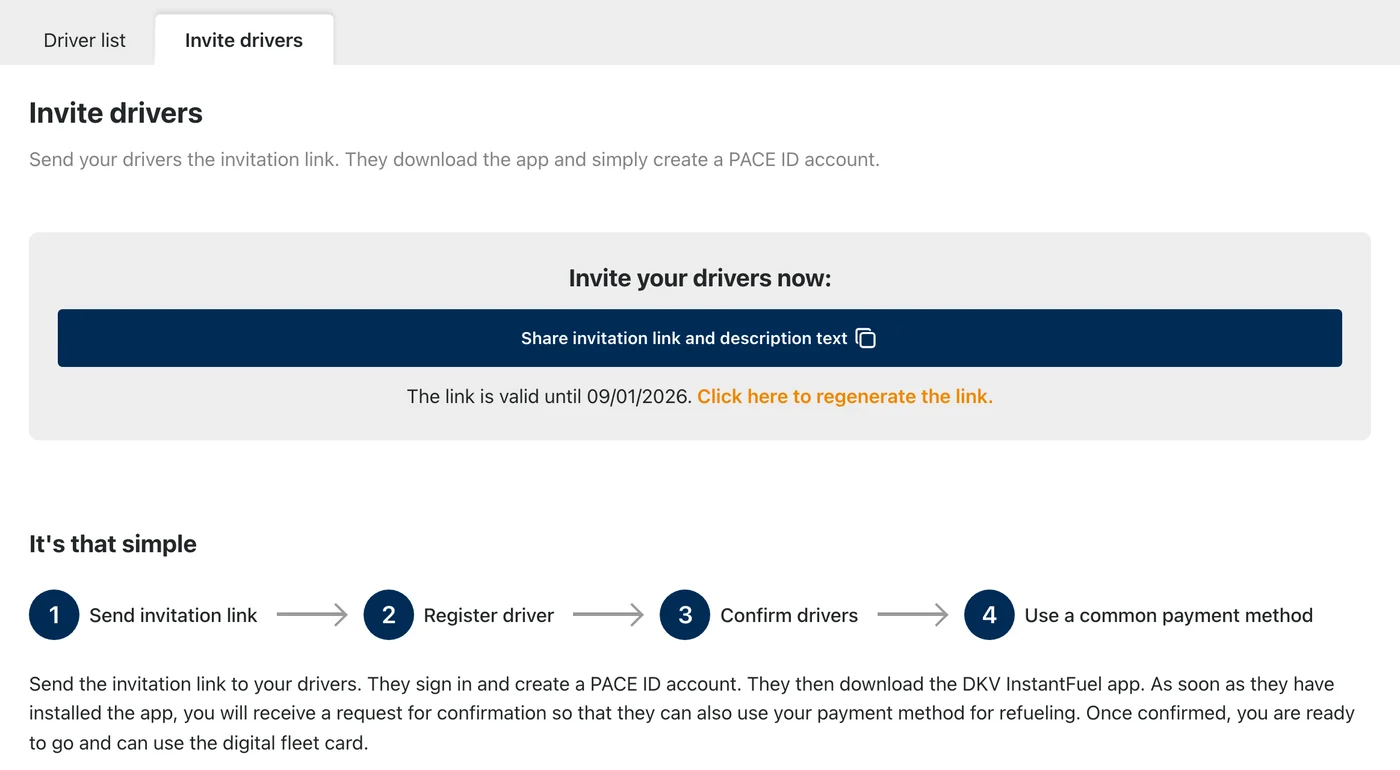
In the dashboard under Drivers → Invite drivers, generate a personal invitation link for your organisation with a single click.
-
Send the invitation to your drivers
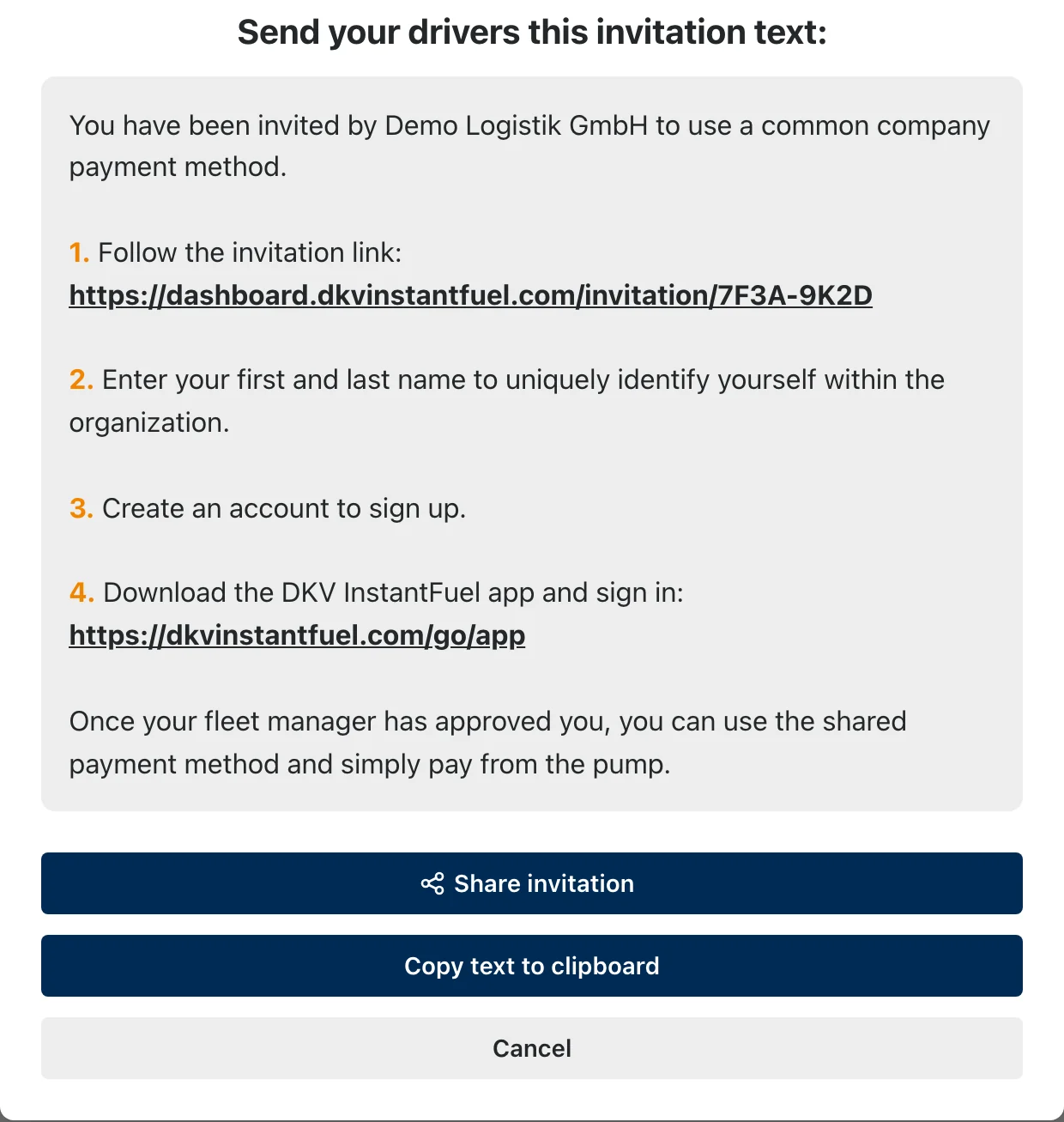
Share the ready-made invitation text by email or messenger. Your driver opens the link, enters their name and creates a free PACE ID account.
-
Confirm the driver
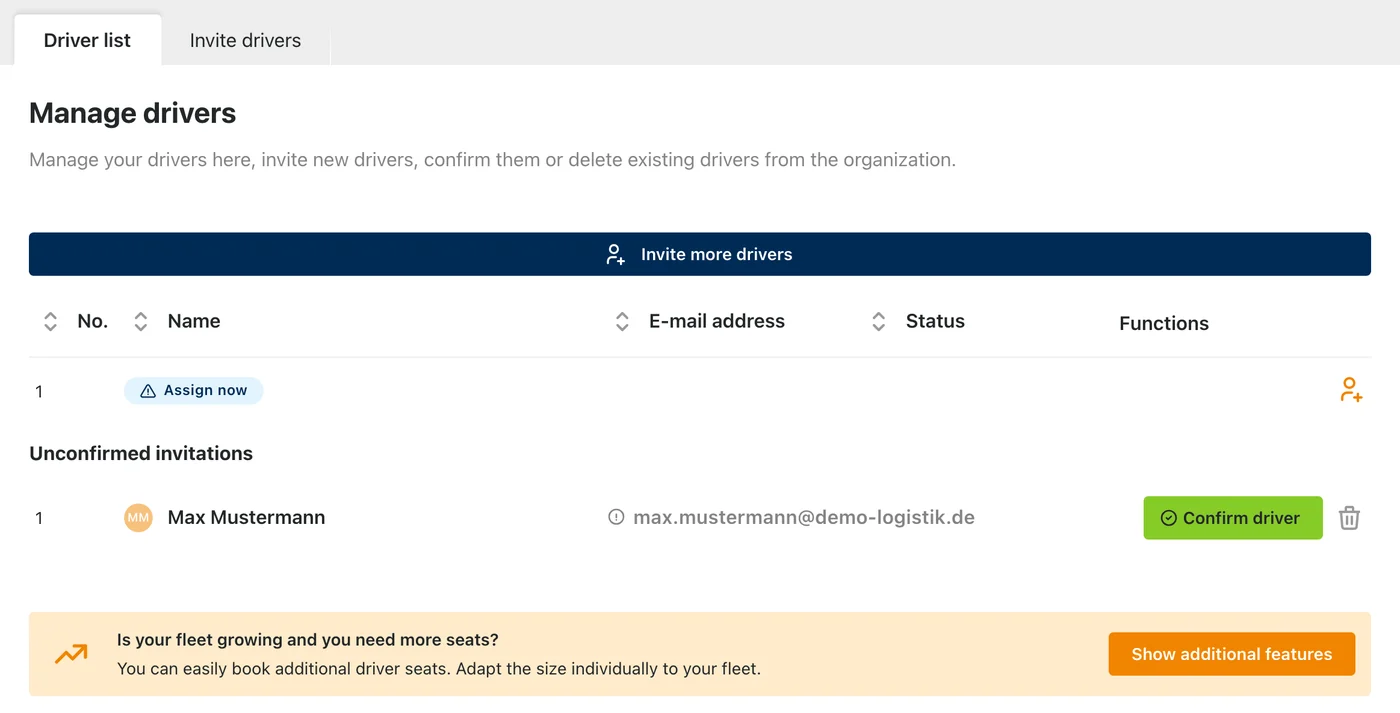
As soon as a driver has registered, they appear in the dashboard under “Pending invitations”. One click on “Confirm driver” unlocks the shared payment method.
-
Download the app and go
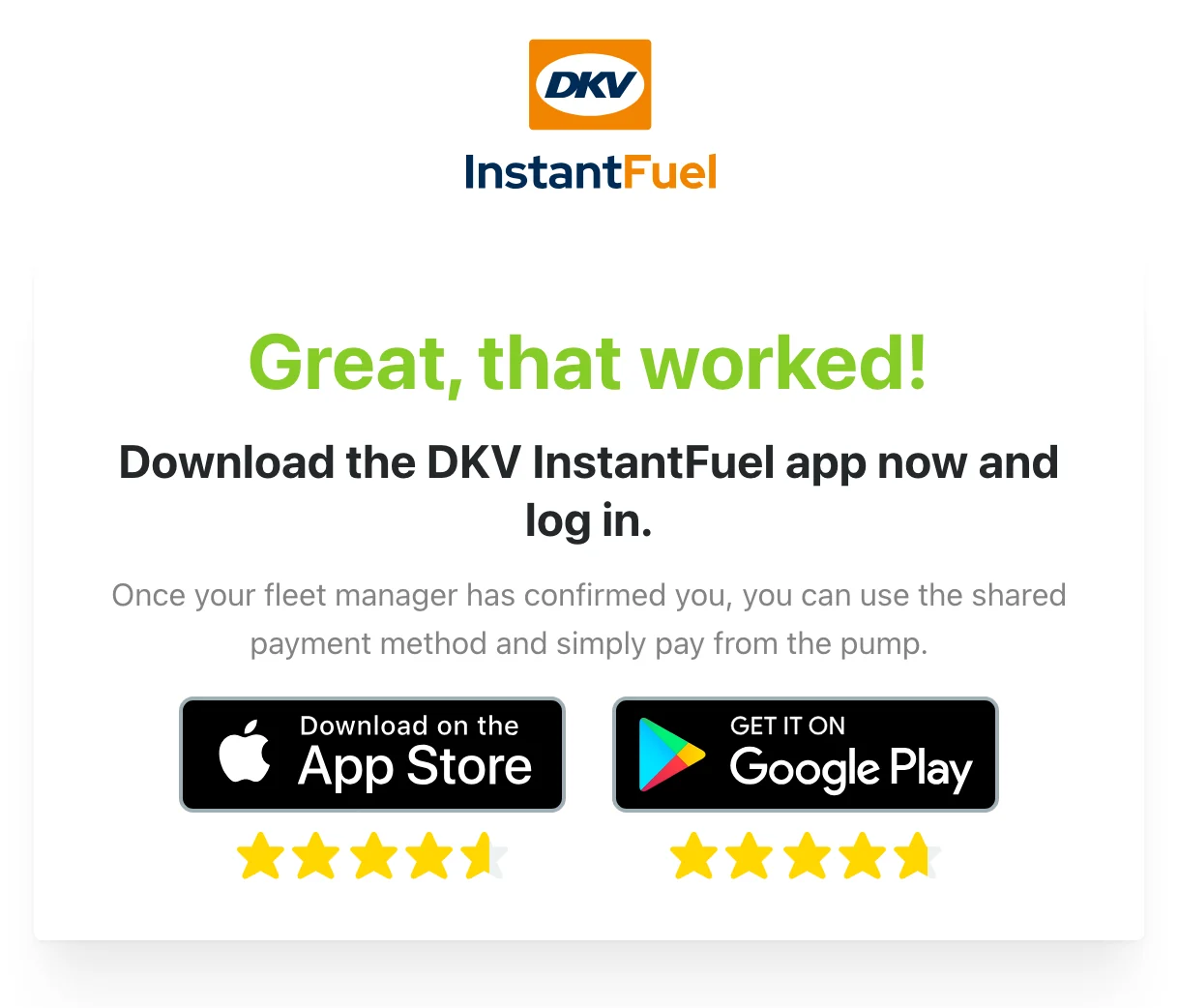
Your driver downloads the DKV InstantFuel app, signs in with their account — and pays right at the pump using your company payment method.
Ready to get started?
Activate DKV InstantFuel and invite your drivers in just a few minutes.
Activate now