
How it works
Up and running in 5 minutes.
Sign up in the dashboard, add your corporate credit card, invite drivers via link, install the app, pay at the pump from a phone. No contract back-and-forth, no waiting period.
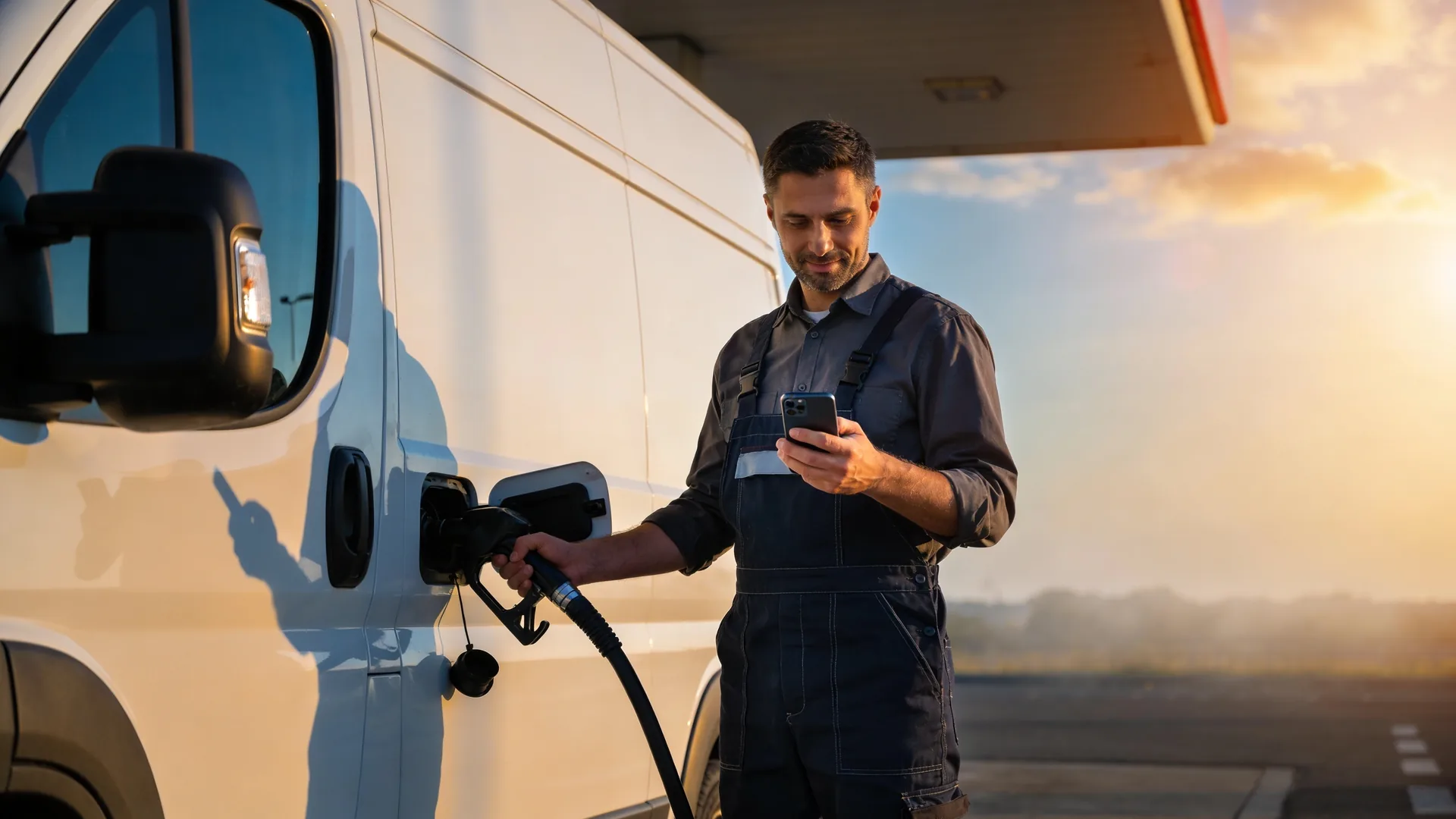 AI-generated image
What you need
Three prerequisites — everything you most likely already have.
-
PACE ID
Before activation you register for free at PACE ID — the login for the DKV InstantFuel dashboard and app. Takes less than two minutes.
-
Credit card
DKV InstantFuel works with your own credit card: you store a credit card once (corporate or private). Mastercard, Visa and V-Pay all work.
-
A smartphone for each driver
Every driver needs an iOS or Android smartphone with internet connection. The app uses a personal PIN to confirm payments — no biometric unlock required.
Up and running in 4 steps
From login to first refuelling typically takes about 5 minutes — depending on how quickly your drivers respond.
-
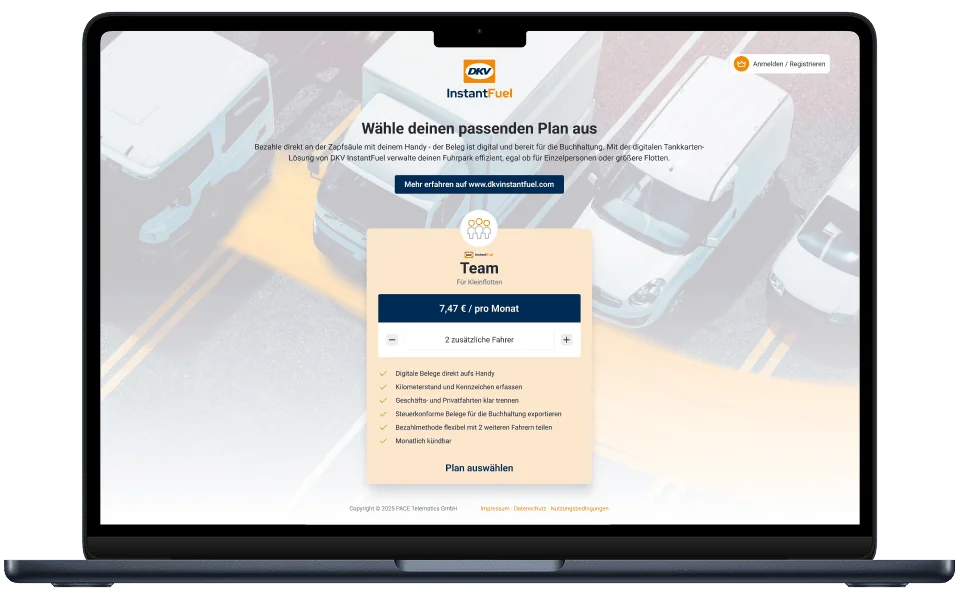
Register in the dashboard
As a fleet manager, you register in the DKV InstantFuel web dashboard and enter your company credit card once as the central payment method for your team.
After signing up at PACE ID you log into the DKV InstantFuel dashboard. There you store your credit card as the payment method once and add your company details — ready for the next step.
Tip: Use a dedicated credit card without private transactions — that simplifies the tax export later.
Time: approx. 2 minutes
-
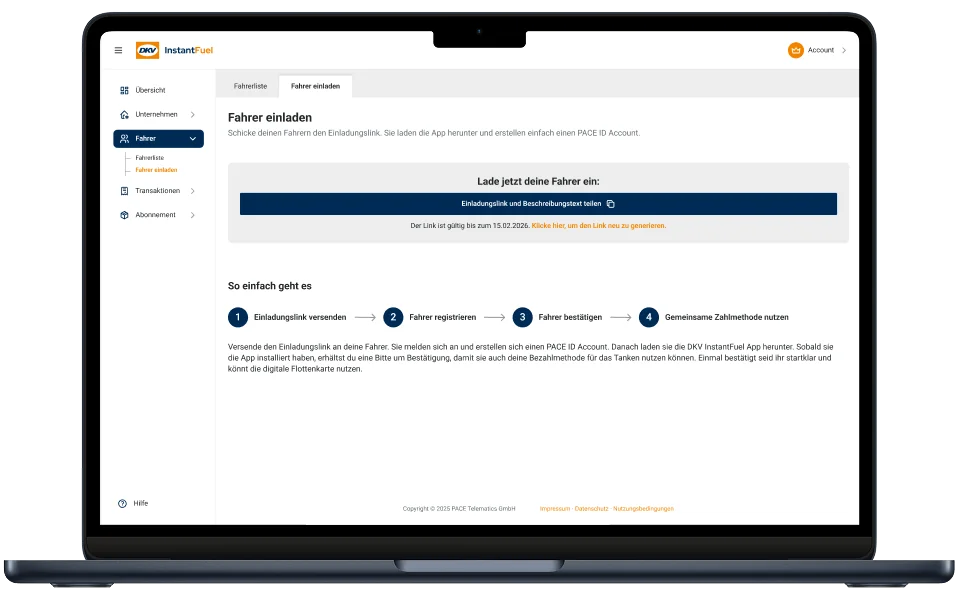
Invite drivers via link
You can conveniently invite your drivers via an invitation link directly from the dashboard. You retain full control over who has access at all times.
In the dashboard you create a single universal invite link. Send it to all drivers (e.g. via Slack or email). Drivers register themselves via the link with their first and last name — once a registration arrives, you confirm each driver with one click.
Tip: Invite all drivers in one go and announce the email briefly to your team so the invitation does not end up in the spam folder.
Time: approx. 1 minute per driver
-
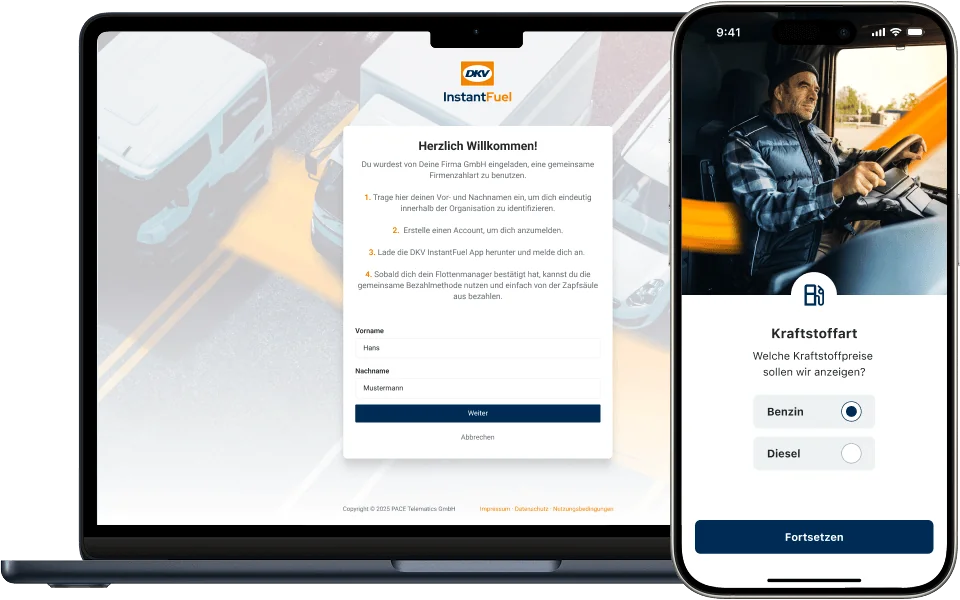
Drivers download the app
Your drivers install the free DKV InstantFuel app and register. The payment method you have shared can be used by the team immediately and without advance payment.
The driver opens the invitation link on their smartphone and installs the free DKV InstantFuel app. On first launch the driver signs in with their PACE ID — verification is done via a link we send to the stored email address. After that, the smartphone's biometric unlock serves as the payment confirmation.
Tip: Important: only after the admin confirms the driver in the dashboard is the app ready — before that drivers can register but not fuel yet.
Time: approx. 2 minutes per driver
-
Refuel & pay on the go
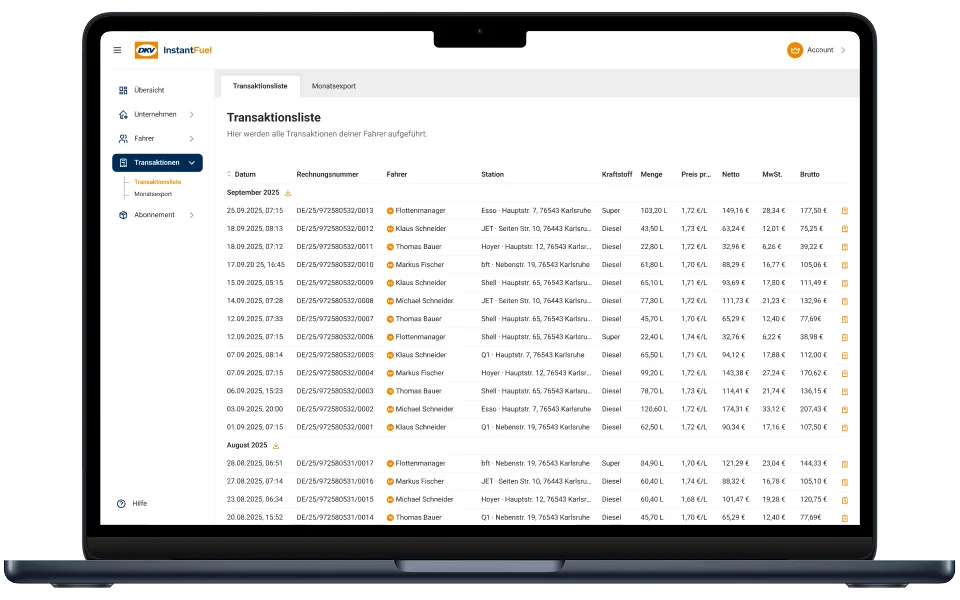
Your team can now refuel at all connected partner gas stations, pay securely via the app, and automatically receive a digital receipt. You can see all transactions live in the dashboard.
At every connected partner station the driver opens the app, picks the pump, fuels the vehicle and confirms payment with their personal PIN. The digital receipt appears in the dashboard immediately — and is also sent to the driver via email.
Tip: The monthly receipt export as a ZIP file (PDF summary + individual receipts) is available for download in the dashboard — no manual receipt sorting any more.
Time: approx. 30 seconds per refuelling
 AI-generated image
What is the fleet manager?
The fleet manager isn't a free add-on — it's the first seat in your plan, typically you yourself.
- Manages all drivers, receipts and the fuel card in the dashboard
- Fuels up too — via the shared company payment method
- A full seat in the plan: €2.49 / month — not free
- Adjusts the subscription any time — cancellable monthly
What is achieved after 5 minutes?
You have completed the full setup and can start right away:
- Full dashboard overview with driver list, live transactions and receipt archive.
- All invited drivers have an invitation link in their inbox.
- First drivers have installed the app and are ready to fuel.
- Your fleet can refuel at approx. 12,000 stations in 10 European countries.
- Receipt collection is ready — the first receipt appears in the dashboard automatically as soon as a driver fuels up.
Common questions for getting started
Do I need an additional physical card?
No. DKV InstantFuel is purely digital — your drivers pay exclusively via the app. There is no additional plastic fuel card and none is required.
What happens if the app is offline?
An internet connection is required for payment at the pump. If the mobile network is unavailable at a station, the driver can switch to another partner station — the nearest one is shown on the in-app map.
How quickly are new drivers ready to use the system?
Once the driver opens the invite link, installs the app and sets a PIN: typically under 5 minutes. The payment function is unlocked only after the admin confirms the driver in the dashboard.
Can I store multiple credit cards?
For now each account uses exactly one stored credit card. You can swap the card at any time in the dashboard — that takes effect immediately, with no service interruption.
What happens when a driver leaves?
You deactivate the access in the dashboard with one click — the leaving driver's app immediately loses payment authorisation. Then you invite the new driver as usual via link. The pricing automatically adjusts to the current driver count.
How much does the onboarding itself cost?
Onboarding is free of charge. Only active driver slots are billed in the running plan (€2.49 net per driver per month). There is no setup fee and no minimum term.
Can I use my existing DKV CARD for DKV InstantFuel?
No. DKV InstantFuel is a separate product: during setup you store a corporate credit card in the dashboard. For existing DKV CARD customers, DKV APP&GO is a separate digital solution in the DKV Mobility app.
Dive deeper
Cost examples for 1 to 20 drivers and all conditions in detail.
Read moreFeature scope of the iOS and Android app, screenshots and download links.
Read moreReceipt management, monthly receipt export, biometric payment and more at a glance.
Read moreLive map: every acceptance station in 10 European countries with address search.
Read moreGet started now
Activate your DKV InstantFuel account and invite the first drivers today.
Activate now in the dashboardExternal link — opens the DKV InstantFuel dashboard in a new tab.