Skip to content

App help

How do I use the app?

With DKV InstantFuel, your drivers and fleet managers pay directly at the pump. No need to walk into the shop.

There is no physical card. Payment happens automatically via the app, using the credit card stored in the company account.

First steps: signup & setup

Whether you are a fleet manager or a driver — the app is set up in a few minutes.

For fleet managers

  1. Install the app

    Download the DKV InstantFuel app and sign up free with your PACE ID (email and password). You also use the PACE ID for the dashboard.

  2. Confirmation

    Accept the terms of use.

  3. Choose your fuel

    Select your preferred fuel type (e.g. diesel) to see prices directly in the app. You can change this at any time in the settings.

  4. Wallet

    Your credit card is stored as the DKV InstantFuel payment method in the app.

  5. Find a station

    Find a station near you and start the fueling process.

For drivers

  1. Receive your invitation

    You have received a registration link via email. Click it to sign up.

  2. Install the app

    Download the DKV InstantFuel app and sign up free with your PACE ID (email and password).

  3. Confirmation

    Accept the terms of use. As soon as your fleet manager confirms you in the dashboard, the payment function is unlocked.

  4. Choose your fuel

    Select your preferred fuel type (e.g. diesel) to see prices directly in the app.

How does fueling with the app work?

Step-by-step guide to mobile payment at the pump.

  1. Find a station

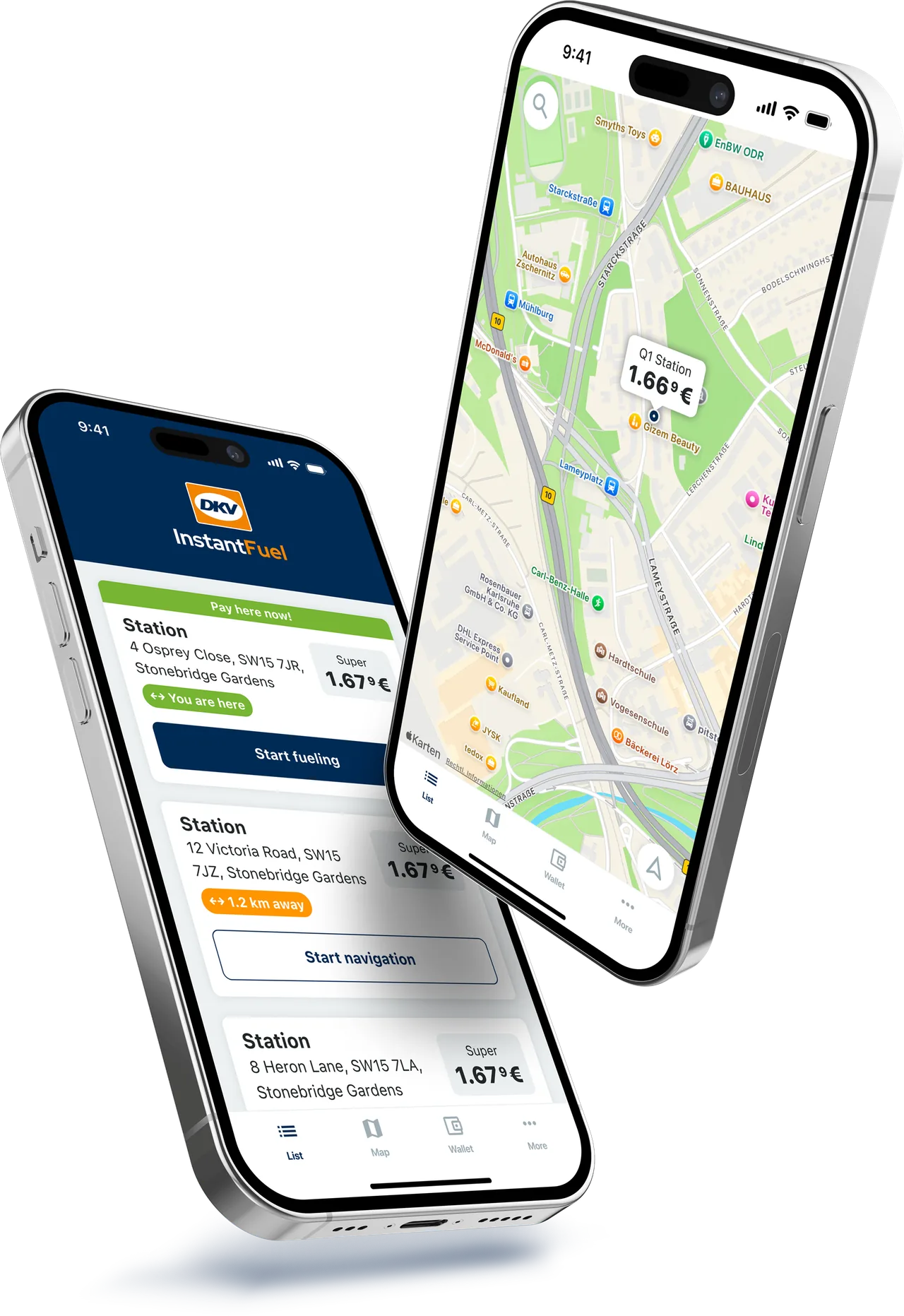
    Use the map in the app to find a partner station. You can see current prices and start navigation.

  2. Arrive at the pump

    When you reach the station, the app detects your location („You are here“) and switches into fueling mode.

  3. Start the process

    Tap the „Start fueling“ button in the app.

  4. Pick the pump

    Select the number of the pump you are standing at.

  5. Fuel up

    Fuel your vehicle as usual.

  6. Pay

    After hanging up the nozzle, tap „Pay securely now!“ in the app.

  7. Done

    You receive a digital receipt in the app immediately and can drive on.

At some stations (e.g. ESSO) you may need to reserve an amount before step 5. Please complete the reservation, then remove the nozzle.

Common questions about the app

Where do I find my fueling receipts?

All receipts are stored digitally. You find an overview of your payments in the app under „Wallet“„Transactions“. Details such as date, amount, fuel type and station are listed there. In addition, the data is automatically forwarded to your fleet manager for accounting.

Why was a higher amount reserved on the card?

This is a pre-authorisation (often around €120) to make sure the payment is covered. Don't worry: it's just a hold. Only the actual fueling amount is charged. The difference is usually released within 24–48 hours (up to 7 days, depending on your bank).

What do I do if the app doesn't work at the pump?

If the app crashes or has no connection, please pay for the fueling normally in the shop (cash or with your own card) to keep your journey going.

Why can't I pay („Payment declined“)?

This can happen if the credit card stored by your fleet manager has expired or is not covered. Or if you as a driver have not yet been confirmed by the manager in the dashboard. In that case, please contact your supervisor / fleet manager.

Download the free app now

With the DKV InstantFuel app, your drivers find the next station and pay directly at the pump. No queuing, no time lost.